🛒 Groceries
A shopping list that writes itself from the dinners you’ve planned, leaves off what’s already in the pantry, and adds the things you always buy.
Meals → Groceries
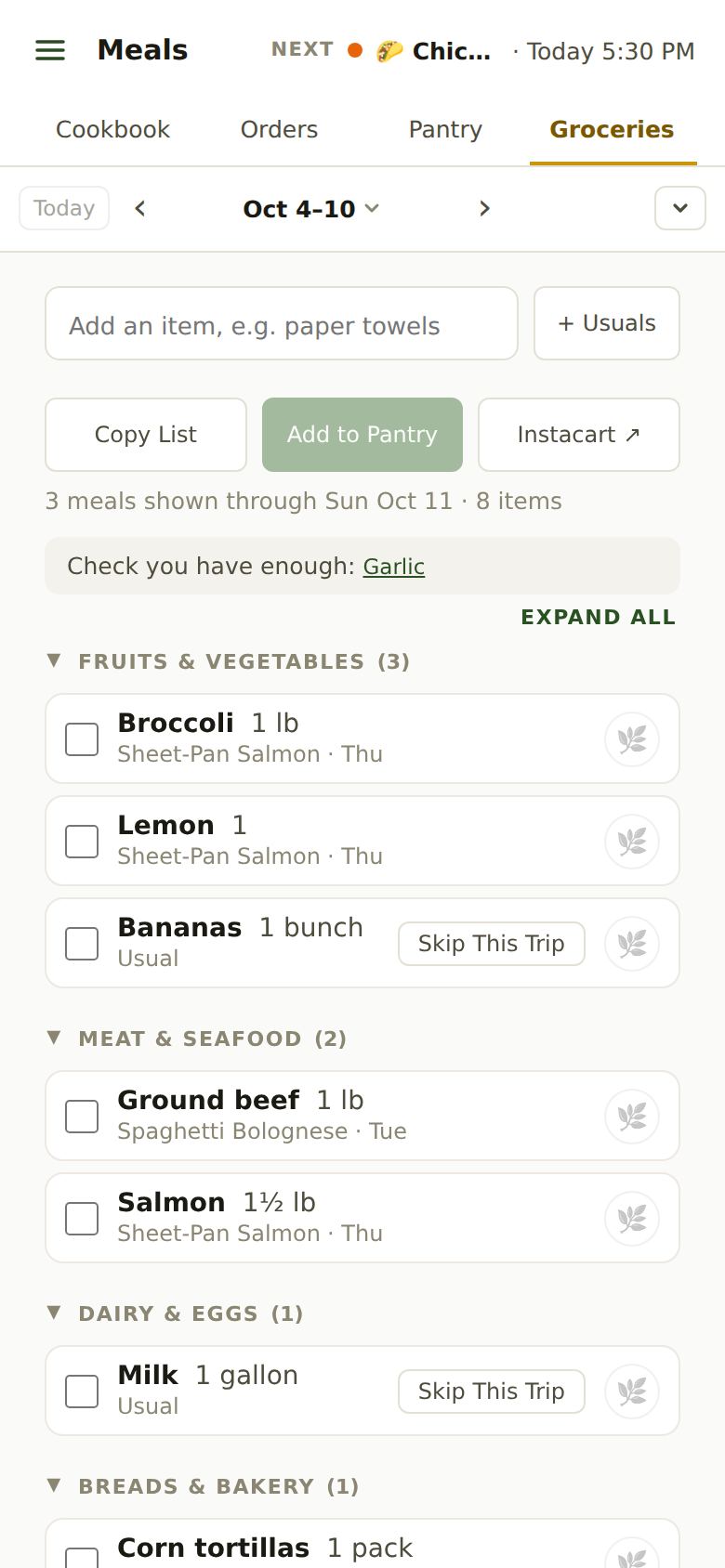
How the List Is Made
Every dinner you plan adds its ingredients, and amounts for the same thing are added up. What’s already in your pantry is left off. The list looks ahead as far as you shop: a week by default, changed in Account → Settings → Groceries → Grocery Shopping Frequency.
- Under each item, the dinner that needs it and its day (“+ 2 more” when several do).
- Check you have enough names things whose amounts can’t be compared (a “head” of garlic against “2 cloves”). Tap one to add it anyway.
- At the bottom, In Your Pantry shows what was left off because you have it, each with Add Anyway. Assumed on Hand is salt, oil and other basics.
- Skip a dinner on Home and its ingredients leave the list.
Want organic? Tick produce, meat or everything in Settings → Groceries → Organic Groceries; the leaf button on each item changes just that one.
Adding Your Own Items
Type anything into the box at the top (paper towels, birthday candles) and tap Add. It goes in its aisle and says who added it. Add the same thing again another week and it becomes one of your Usuals.
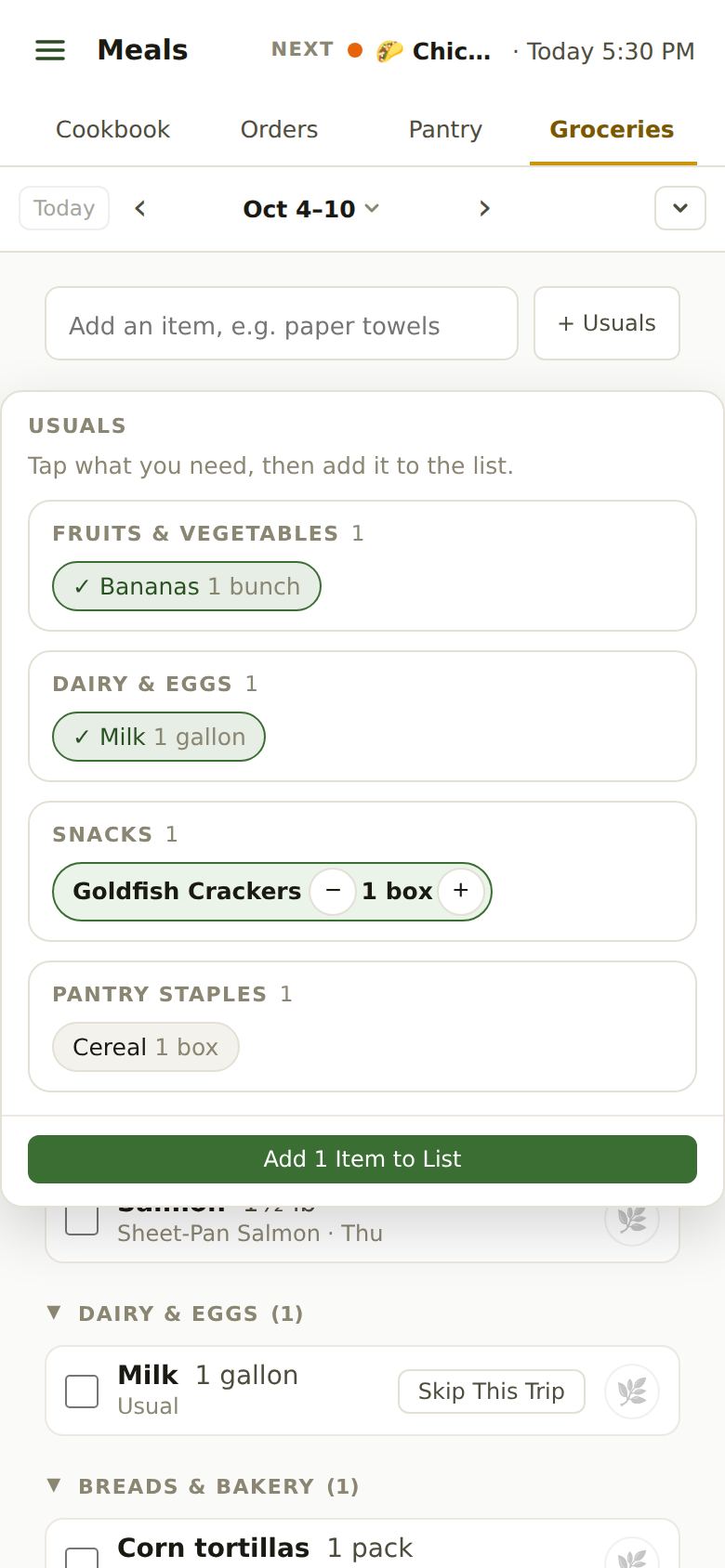
Usuals
The things your family buys again and again. Tap + Usuals, tap what you need (− and + set how many), then Add N Items to List.
- A Usual on the list says “Usual” with Skip This Trip: off the list this time, still in your Usuals.
- Something you haven’t needed in months quietly drops out of Usuals. Type it again to bring it back.
Shopping
- Tick items as they go in the cart. Everyone in the family sees the same ticks, so two people can shop one list.
- Copy List copies it as text, for a text message or a notes app.
- Instacart ↗ copies the list worded for Instacart’s assistant and opens Instacart: pick your store, open the assistant and paste. Items sent this way are marked “Copied for Instacart”, and the next copy is only what’s new.
- Expand All opens every aisle at once.
Putting It Away
Back home, tap Add to Pantry (it shows how many you ticked). A popup shows where each thing goes; confirm and they’re in your pantry, and off the list. If you forget, Home and Groceries offer it a couple of hours after your last tick.
When you’re done with the week, Clear All Items at the bottom starts the list fresh.
Forwarding your store’s receipt later? Things you already put away from the list aren’t added again. See Grocery receipts.
Still Stuck?
Email support@apresschool.app and we’ll get back to you. Or see all help articles.